


``What should we wear?``
is a question you should be ready to answer.
Don't fret - we do the hard part for you! We take care of the time consuming searching and scrolling to bring everything together into one place.
All you have to do is the fun part! Putting together shoppable style boards.
Watch VideoColor Tones
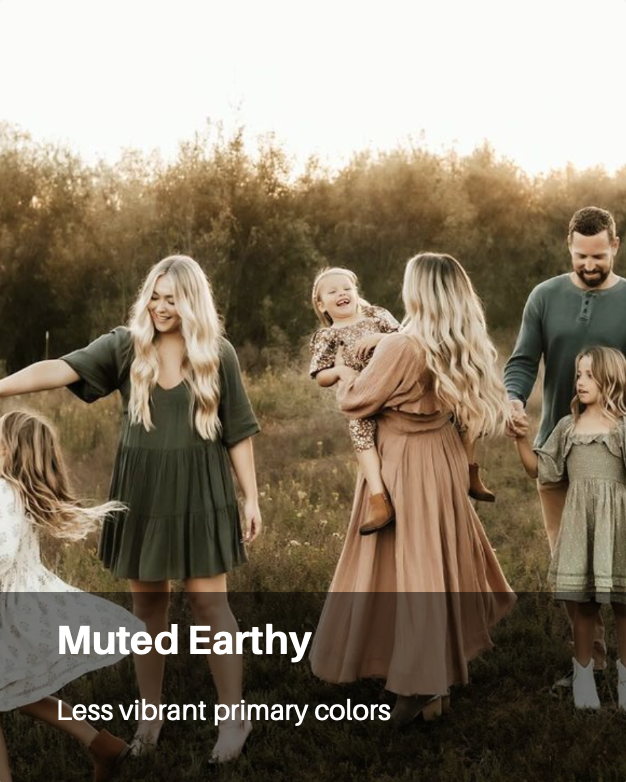
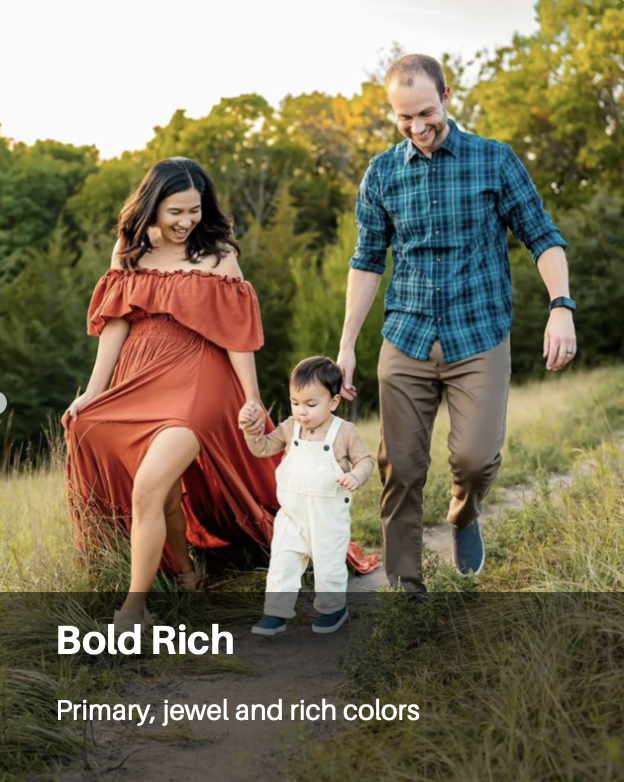
Pick from three different editing vibes: Light/Airy, Muted/Earthy or Bold/Rich. Within each style is a wide range of color combos and retail styles.

Three Easy Ways To Use
No two photographers run their business the same way, which is why Style & Select fits seamlessly into your workflow


Membership Pricing
$15
- One time Fee
- Welcome Email with intro video
- $15 coupon to apply to Monthly or Annual Plan
$30
- Billed Monthly cancel anytime
- Welcome Email with intro video and style guide tip sheet
- Style & Select Map Profile
$199
- Auto Billed Annually
- Welcome Email with video intro and style tip sheet
- Style & Select Map Profile
Style your clients in minutes. Not hours.
Add this to your booking workflow to save time and give clients clear, shoppable outfit ideas they’ll actually follow.



This is the tool that helps you show up for your client...
in the way they need it most! After booking, styling is the first thing a client thinks (read: stresses) about.
Sign Up NowWhat current members say
about Style & Select

“From the very beginning of my business, one of the best investments I made was investing a yearly subscription with Style & Select. As my business has grown, evolved, and expanded into new adventures, they've grown right alongside me. From photographing families and motherhood to traveling across the country for weddings and elopements, they've consistently helped create an elevated, seamless experience for both my clients and me.
What I love most is that styling is no longer something my clients have to stress over. LIKE EVER. Instead of spending hours shopping, second-guessing outfits, or wondering what photographs best, they're guided through a process that takes the guesswork away. It allows them to show up feeling confident, comfortable, and excited, which truly shines through in every gallery.
At this point, I honestly can't imagine running my business without Style & Select. It's become such a staple of my client experience that it feels just as essential as my camera. It's not simply an add-on; it's part of what makes my sessions feel intentional, cohesive, and luxurious from the very first step. Investing in their service has not only elevated my brand but it has also allowed me to serve my clients in a way that feels thoughtful, professional, and stress-free.
Looking back, choosing Style & Select was one of those business decisions that has continued to pay for itself time and time again. It has become an integral part of my workflow, my client experience, and the heart of how I serve every family, couple, and mama who trusts me to capture their story.”
— Katie Denton Photography
“One of the biggest questions I get from clients is what to wear. Style & Select has made that part of the process so much easier, helping clients see everything come together while saving me hours of back-and-forth styling.”
— Shutter Magic Photography
“Style & Select has completely changed the way my clients and I approach wardrobe choices. It provides an excellent tool to start looking at style, color palettes, and pieces for every single family member. It even goes a step further by providing pieces from reputable stores that are linked and can be purchased easily. From start to finish, the experience is seamless and my clients love it! Thank you Style & Select for providing an excellent tool I can use to help my clients feel less overwhelmed and excited about what they are wearing!”
— Leah Blanche PhotographyFAQ
FAQ
How do I offer this to my clients?
You can integrate this platform into your workflow in whatever way works best for you. Some photographer members offer it as an add-on during the booking process and charge a styling fee. In many cases, clients are more likely to follow styling advice and engage with their style boards when they’ve financially invested in the service.
Other members provide complimentary access, allowing clients to use the styling tools and select their own outfits. And for those who prefer a hands-off approach, some photographers simply direct clients to us—where clients can choose to pay for professional styling.
Ultimately, how this platform shows up in your business is entirely up to you.
What type of sessions can I style?
The results page offers clothing options for family, newborn, maternity and high school senior photos. You can also use this service for more casual branding head shots.
We do not offer styling options for business head shots, boudoir photos or water sessions.
What sizes do you display?
We show clothing results from 0-3 month all the way through 10-12Y for kids. Pre-teen/teen has their own sizing has a category that includes XXS adult sizing. Adult sizes will display in XS-XL, plus size 1X-3X and lastly maternity.
What are styling codes?
Style codes are “passwords” you create to gain access to our protected members only Results page. Create a style code that is easy for you to remember. If you give access to your clients to style themselves, you can create a style code for each family or each season – styling results are not linked to styling codes.
You can set expiration dates for these codes to prevent members from sharing or utilizing in the future if they go with another photographer that isn’t a member.
My styling code is saying "invalid"
Chances are your account has lapsed due to non payment. If your account is in good standing and the styling code not working it is because you set an expiration date. Simply create another styling code in your dashboard area!
I have a client closet. Can I still be a member?
You have the ability to add photos of your entire client closet into a “library” and these photos will show up in the results every time. That way you can incorporate your own pieces along with items from Style & Select Results when coordinating outfits.
How often is the results page updated?
Style & Select is a team of 4 women adding and deleting clothing items on a daily basis. We strive to add a minimum of 50-70 new items per day and remove sold out (or nearly sold out items) on a weekly basis.
How are style boards saved? Can I edit them later?
You or your client can only save style board combinations by email. When you or your client are finished with the styling process and have everyone coordinated, there is an email button that sends photos, shopping links and even a custom message! These emails are logged into your member account area under “Emailed Selections” tab. You can resend a style board email if for some reason the client never received it or deleted it by accident.
You cannot edit a style board after it has been sent. You will need to start over.
How do I cancel my account?
You can cancel your monthly or annual subscription at any time. Login to your account and click on Settings > Subscriptions. There you will find a button to cancel your membership. We do not offer refunds for canceling after that month has already been billed or for the annual plan you are currently in.
Once you have canceled, your account will disable at the end of your billing period. If you do not see a cancellation button, but you see an expiration date under your current plan, that means you have already cancelled and it will remain active until that listed date. If you want us to verify that it is cancelled, feel free to email us at [email protected].
15 day trial plans require no cancelling – they are a 1 time fee.